

Setup
Whatsapp Error: Unable to send whats app text, due to invalid parameter error.
1 min read Updated 15 February 2026
WhatsApp text fails with invalid parameter errors as per the below screenshot.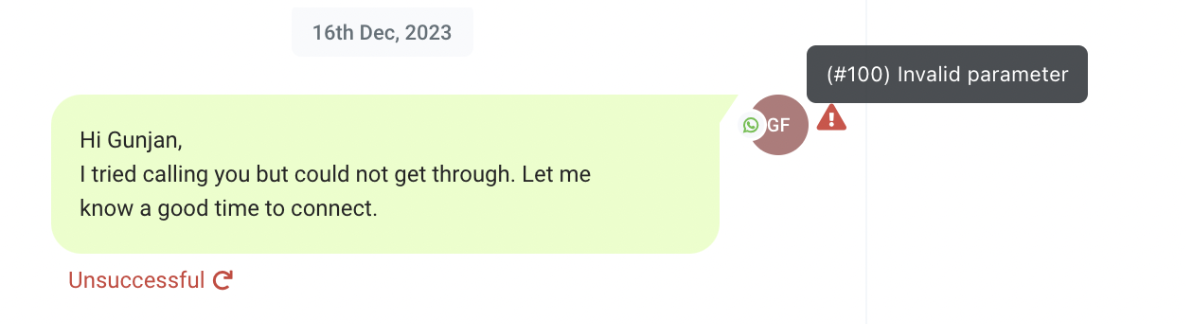
Solution:
In this case, we need to check whether the "From" and "To" numbers are the same. If both numbers are identical, the WhatsApp message will fail with an "Invalid Parameter" error.
This is because we do not support sending WhatsApp messages to the same number from which it is being sent. Please inform the client to use a different number for testing.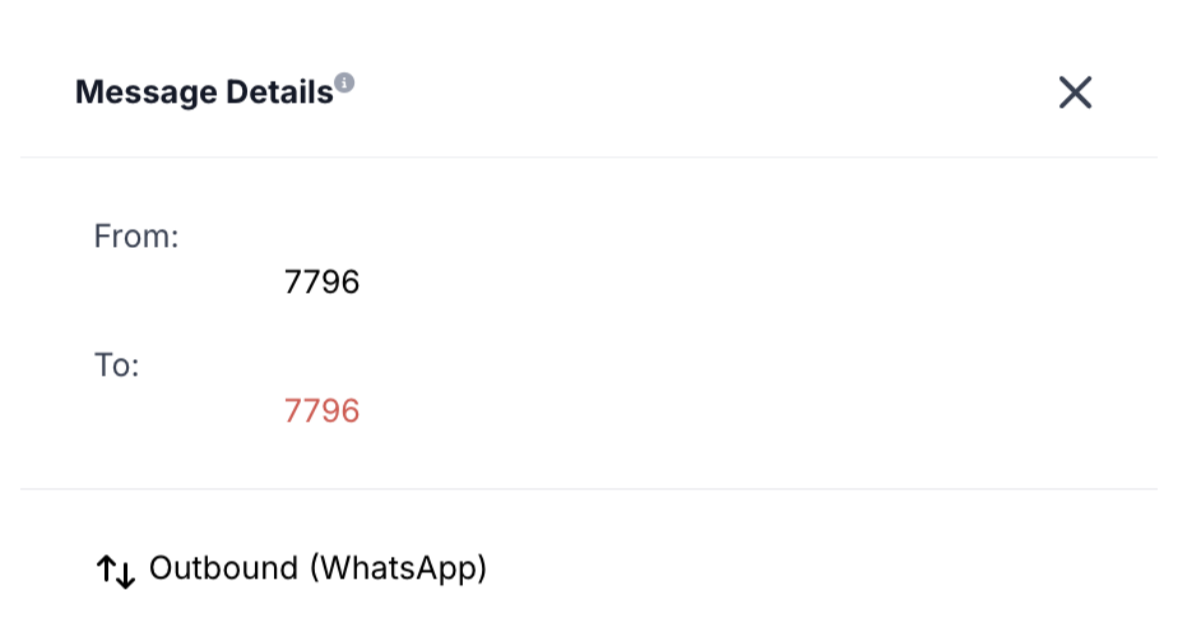
More in Setup
- How to Enable WhatsApp in your account?
- WhatsApp FAQs
- Marketing Opt-out Button to Your Message Template
- WhatsApp - Workflow Integration
- Important Update: : WhatsApp Marketing Messages to U.S. Numbers Paused Starting April 1, 2025
- Important Update: WhatsApp Marketing Templates Pause in the U.S. Starting April 1, 2025
- WhatsApp 30 Days Free Subscription Trial Promotion
- WhatsApp Onboarding Failure: “Please create a new WhatsApp Business Account since a payment method already exists for the current WhatsApp Business Account”
- How to troubleshoot Failed to send OTP to verify Whatsapp number on the sub-account
- Whatsapp Error: Business account is restricted from messaging users in this country
- Whatsapp Error: Your WhatsApp Business account is locked. To unlock your account, visit Business Support Home
- Whatsapp Error : You have requested code too many times. Please try again later.