

WhatsApp onboarding failed: Unsupported WABA currency
When connecting a WhatsApp Business Account (WABA) to Open Doors, you may encounter an onboarding error if your WABA is configured with an unsupported currency.
Open Doors currently supports only USD (United States Dollar) and INR (Indian Rupee) for WhatsApp Business Account onboarding.
If your WABA uses another currency, such as EUR or GBP, the onboarding process will fail.
Table of Contents1Error message2Why does this error occur?3How to resolve the error4Frequently asked questions1Error message
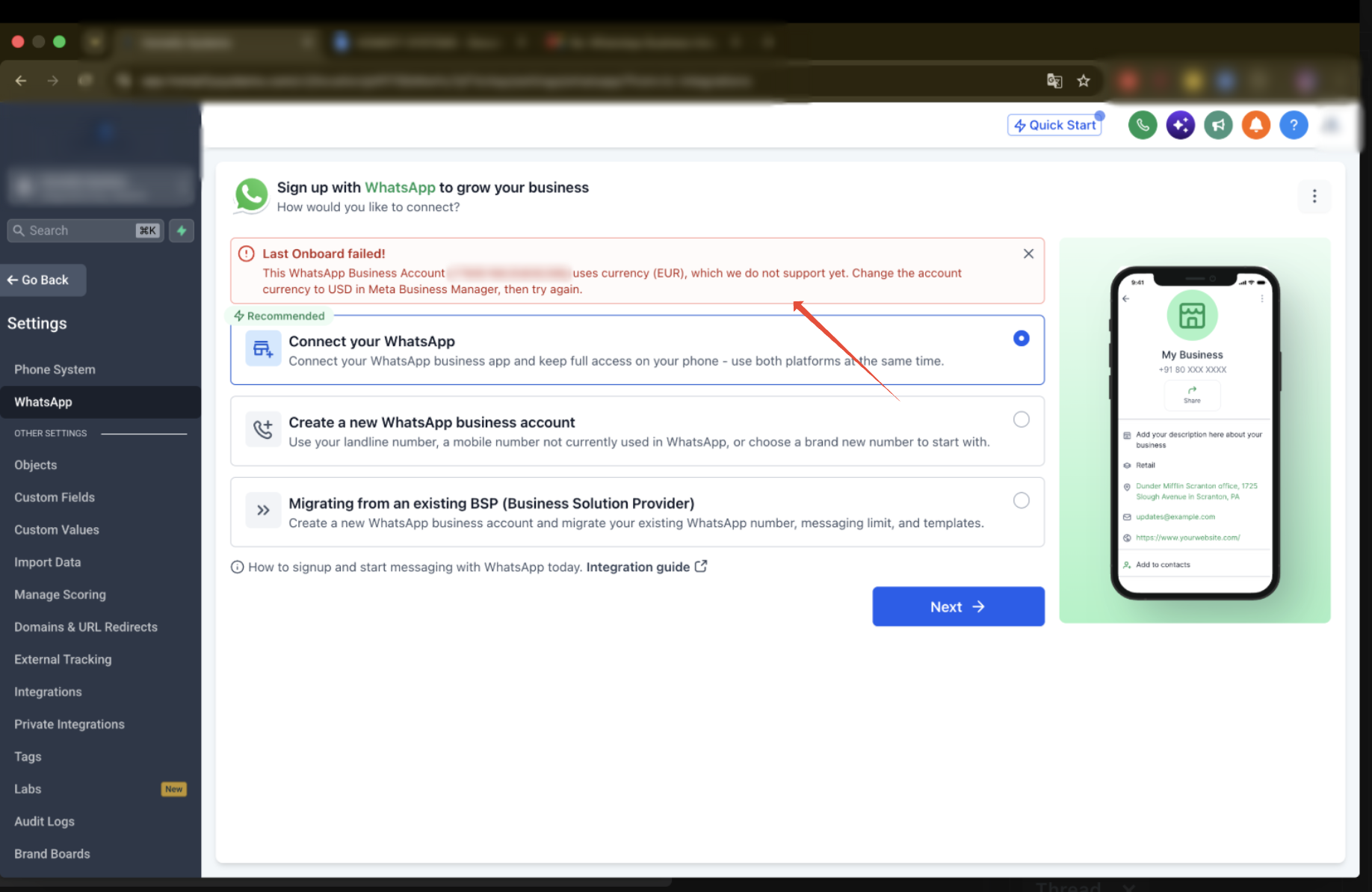
You may see the following error during WhatsApp onboarding:
Last Onboard failed!This WhatsApp Business Account uses currency (EUR), which we do not support yet. Change the account currency to USD in Meta Business Manager, then try again.
 Note
The currency displayed in the error depends on the currency configured for your WABA.
2Why does this error occur?
This error occurs because the currency configured for your WhatsApp Business Account is not supported by Open Doors.
| WABA Currency | Onboarding Status |
|---|---|
| USD | ✓ Supported |
| INR | ✓ Supported |
| EUR | ✗ Not supported |
| GBP | ✗ Not supported |
| Other currencies | ✗ Not supported |
Even if your Meta Business Portfolio is verified and your WhatsApp Business Account is approved, onboarding will fail if the WABA currency is unsupported.
Fix GuideResolve the currency error in 4 stepsCheck your WABA currency in Meta, update it, then retry onboarding.3How to resolve the error
Step 1Open Meta Business Manager- Log in to Meta Business Settings.
- Select the Business Portfolio associated with your WhatsApp Business Account.
- Navigate to Accounts → WhatsApp Accounts.
- Select the WhatsApp Business Account you want to connect.
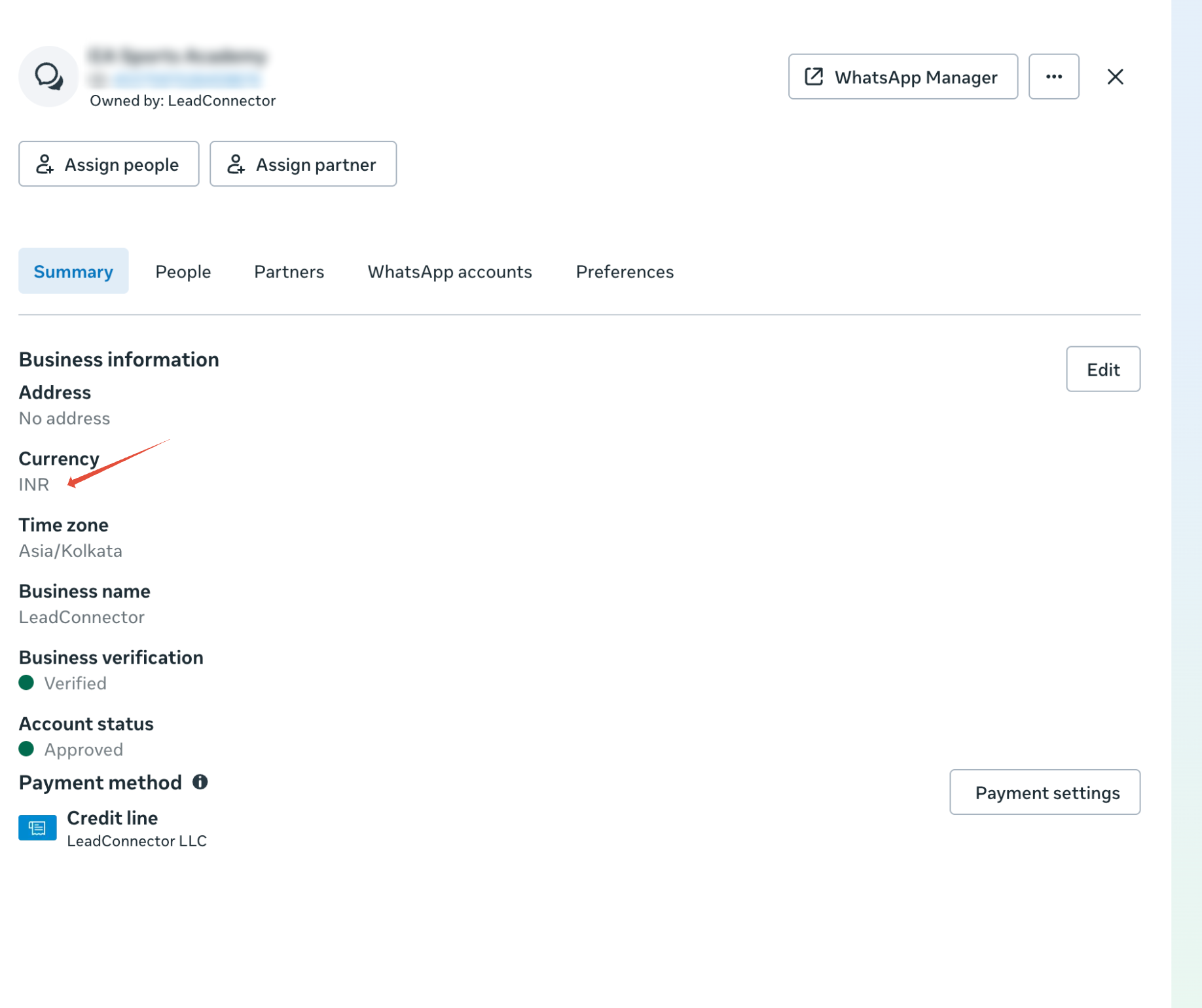
- Open the Summary tab for the selected WhatsApp Business Account.
- Under Business information, locate the Currency field.
- Verify whether the currency is set to USD or INR.
If the currency is anything other than USD or INR, it is not supported for Open Doors onboarding.
Step 3Update the currencyUpdate the WhatsApp Business Account currency to USD or INR, if Meta provides an option to do so.
If the currency cannot be edited, contact Meta Support to confirm whether it can be changed. Meta may require you to create a new WhatsApp Business Account with a supported currency.
ImportantChanging the currency of your Meta Business Portfolio does not necessarily update the currency of an existing WABA. Make sure the WhatsApp Business Account itself uses a supported currency.
Step 4Retry WhatsApp onboardingOnce your WABA is configured with a supported currency:
- Log in to your Open Doors sub-account.
- Navigate to Settings → WhatsApp.
- Select the appropriate onboarding option.
- Click Next and complete the Meta onboarding process.
 You're All Set
With a USD or INR currency on your WABA, the currency check will pass. Other Meta eligibility and verification requirements may still apply.
4Frequently asked questions
Q: Can I connect a WhatsApp Business Account using EUR, GBP, or any currency other than USD/INR?No. Open Doors currently supports only USD and INR for WhatsApp Business Account onboarding.Q: My Meta Business Portfolio is verified. Why is onboarding still failing?Business verification and currency compatibility are separate requirements. A verified business can still encounter this error if its WABA uses an unsupported currency.Q: What if Meta does not allow me to change the currency?Contact Meta Support to confirm the available options. You may need to create a new WABA configured with USD or INR.Q: Will changing the currency automatically complete onboarding?No. Once the currency issue is resolved, you must retry the onboarding process. Other Meta eligibility and verification requirements may still apply.Q: Where exactly do I check my WABA's currency?In Meta Business Settings, go to Accounts → WhatsApp Accounts, select your WABA, open the Summary tab, and look for the Currency field under Business information.Q: Does changing my Business Portfolio's currency fix the error?Not necessarily. The Business Portfolio currency and the WABA currency are separate settings. The check is performed on the WhatsApp Business Account itself, so confirm the WABA shows USD or INR.More in Setup
- How to Enable WhatsApp in your account?
- WhatsApp FAQs
- Marketing Opt-out Button to Your Message Template
- WhatsApp - Workflow Integration
- Important Update: : WhatsApp Marketing Messages to U.S. Numbers Paused Starting April 1, 2025
- Important Update: WhatsApp Marketing Templates Pause in the U.S. Starting April 1, 2025
- WhatsApp 30 Days Free Subscription Trial Promotion
- WhatsApp Onboarding Failure: “Please create a new WhatsApp Business Account since a payment method already exists for the current WhatsApp Business Account”
- How to troubleshoot Failed to send OTP to verify Whatsapp number on the sub-account
- Whatsapp Error: Business account is restricted from messaging users in this country
- Whatsapp Error: Your WhatsApp Business account is locked. To unlock your account, visit Business Support Home
- Whatsapp Error : You have requested code too many times. Please try again later.