

WhatsApp Template Error: “New English (US) content can't be added while the existing English (US) content is being deleted. Try again in 4 weeks or consider creating a new message template.”
When creating or updating a WhatsApp Message Template, you may see the following error:
Error Message:
“New English (US) content can't be added while the existing English (US) content is being deleted. Try again in 4 weeks or consider creating a new message template.”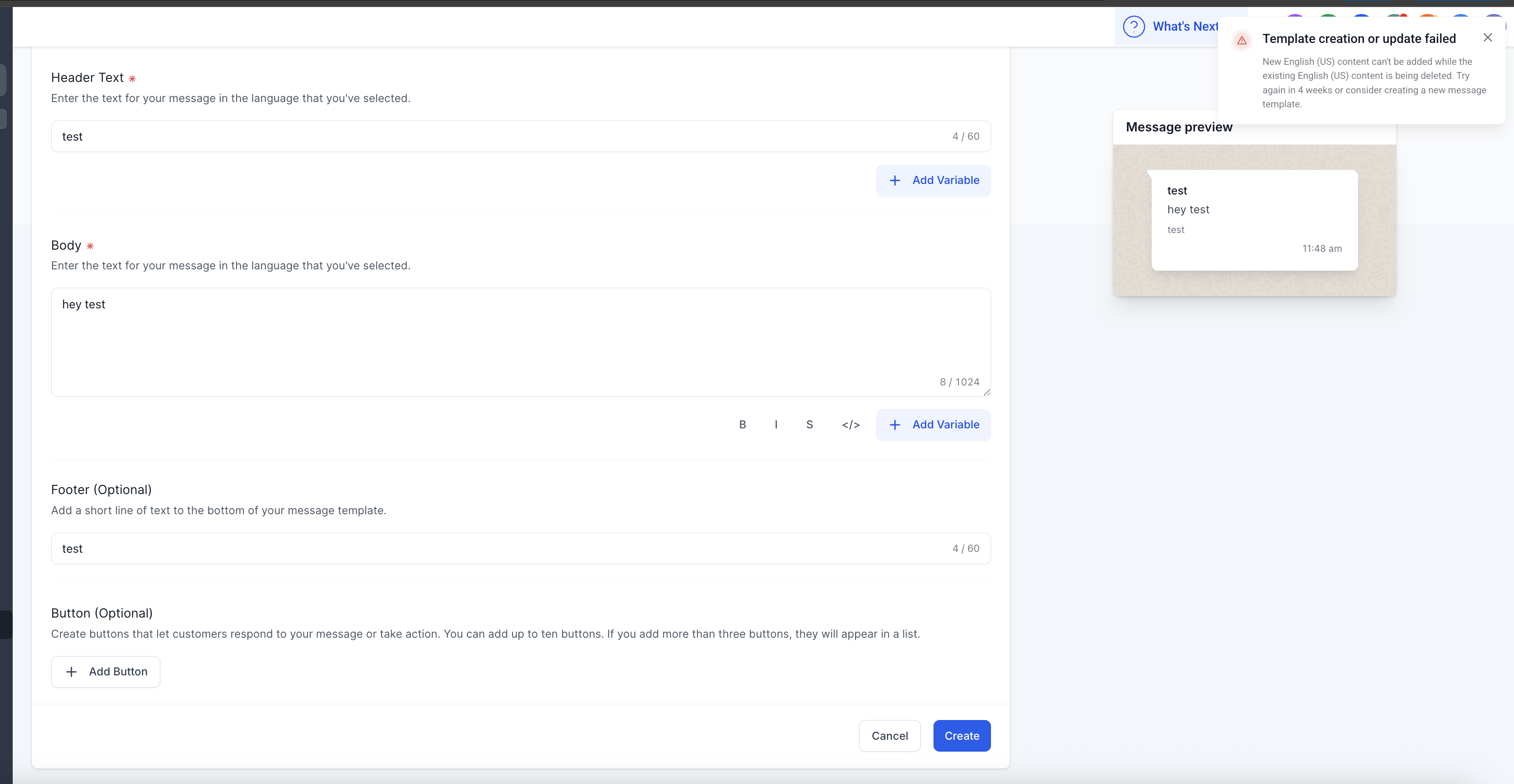
Why This Happens
Meta (WhatsApp) does not allow new English (US) content to be added immediately if the same language content is in the process of being deleted.
Once you delete English (US) content from a template, Meta enforces a cool-down period of up to 4 weeks before you can add English (US) content again.
This is part of Meta’s compliance checks to ensure consistent use of language in approved templates.
How to Resolve
You have two options to move forward:
Wait for 4 Weeks
After 4 weeks from the deletion date, you can add English (US) content back to the same template name.
Create a New Template (Recommended)
Instead of waiting, you can create a new template with the required English (US) template name
Use a unique template name (e.g.,
promo_offer_v2instead ofpromo_offer) to ensure it passes Meta’s review.
More in Setup
- How to Enable WhatsApp in your account?
- WhatsApp FAQs
- Marketing Opt-out Button to Your Message Template
- WhatsApp - Workflow Integration
- Important Update: : WhatsApp Marketing Messages to U.S. Numbers Paused Starting April 1, 2025
- Important Update: WhatsApp Marketing Templates Pause in the U.S. Starting April 1, 2025
- WhatsApp 30 Days Free Subscription Trial Promotion
- WhatsApp Onboarding Failure: “Please create a new WhatsApp Business Account since a payment method already exists for the current WhatsApp Business Account”
- How to troubleshoot Failed to send OTP to verify Whatsapp number on the sub-account
- Whatsapp Error: Business account is restricted from messaging users in this country
- Whatsapp Error: Your WhatsApp Business account is locked. To unlock your account, visit Business Support Home
- Whatsapp Error : You have requested code too many times. Please try again later.